 FacilityCare IQ
Commercial Restroom
Restrooms are where a client decides whether the building was cleaned, and where a skipped step shows by morning. The order matters as much as the list: toilet cleaner goes on first so it can work, high-touch surfaces and mirrors come before the bowls, and the floor is last, mopped toward the door. This checklist follows that order and ends with the restock and a look at the drains.
Prints on one or two pages, tick boxes included.
The checklist
Before You Start5 items
- Put on gloves and eye protection
- Place a wet-floor sign at the door
- Flush every toilet and urinal
- Stock the cart with paper, soap and liners
- Apply toilet bowl cleaner and let it sit
High Touch & Partitions4 items
- Disinfect door handles, push plates and locks
- Wipe partitions, stall doors and hooks
- Disinfect light switches and hand dryer buttons
- Dust vents, ledges and the tops of partitions
Sinks, Mirrors & Counters4 items
- Clean mirrors streak-free
- Scrub sinks, faucets and drains
- Wipe counters and the wall behind the sinks
- Polish chrome fixtures
Toilets & Urinals5 items
- Scrub inside bowls and under the rims
- Disinfect seats, hinges and flush handles
- Clean urinal screens and the wall below urinals
- Wipe the outside of bowls and the base
- Leave disinfectant on for the label's contact time
Dispensers & Restock5 items
- Refill toilet paper and seat covers
- Refill paper towels and soap
- Empty and reline sanitary bins
- Empty trash and replace liners
- Report broken dispensers or leaks
Floors & Drains4 items
- Sweep, then mop from the far corner to the door
- Clean around toilet bases and behind doors
- Pour water into floor drains to stop odors
- Check that nothing is left on the floor before leaving
How to use this checklist on the phone
Print it and hand a copy to each cleaner, or load it as a room-by-room checklist in FacilityCare IQ. The free plan covers 2 buildings.
On each visit the cleaner clocks in at the building, ticks the items as they go, and adds a photo where you have asked for one.
The completed checklist and the clock-in and clock-out times sit on the visit the same night. Share the visit with the client by link when they ask.
Where this checklist ends up
Captured from a live account.
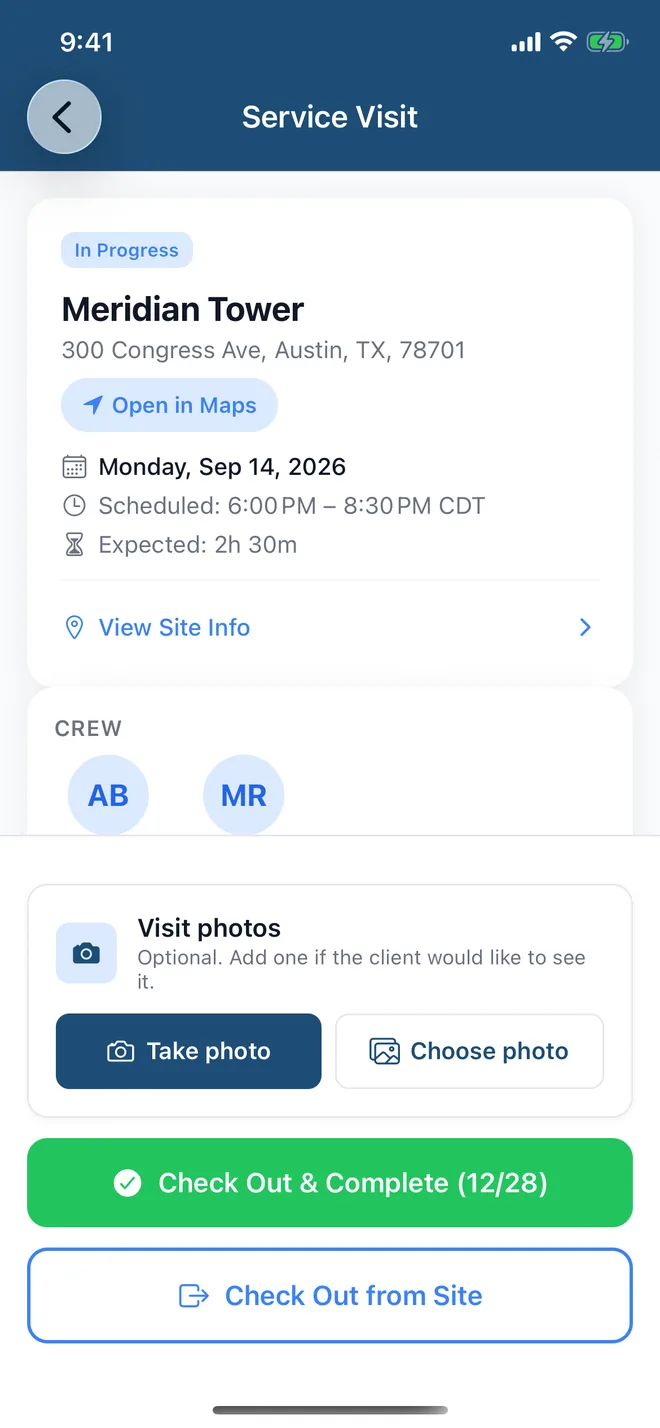

Loaded once per building, the checklist shows up on the cleaner's phone with the door code and the clock-in, and the ticked items sit on the visit the same night. It runs through three parts of FacilityCare IQ:
Checklists for other facility types
Checklists on paper get lost. On the phone, they get done.
Load any of these into FacilityCare IQ and your crew works through it on their phone, in their language, with the door code and the clock-in on the same screen. Free for your first 2 buildings.