 FacilityCare IQ
Post-Construction Cleaning
A post-construction clean is a different job from a nightly clean: the dust is fine and everywhere, new surfaces scratch easily, and the client walks the building with the contractor before they accept it. This checklist works from the ceiling down and from the rough clean to the detail, and ends with the walk-through, where most callbacks start.
Prints on one or two pages, tick boxes included.
The checklist
Before You Start4 items
- Confirm with the contractor which areas are finished
- Wear a dust mask, gloves and safety glasses
- Check which floors and surfaces need special care
- Remove large debris and leftover materials
High Dusting & Walls4 items
- Dust ceilings, vents and light fixtures
- Dust tops of door frames, window frames and ledges
- Wipe walls and baseboards
- Remove dust from outlets and switch plates
Windows & Glass4 items
- Remove stickers and labels from glass
- Remove paint and plaster specks with a glass-safe scraper
- Clean windows, sills and tracks
- Clean glass doors and partitions
Cabinets, Fixtures & Appliances4 items
- Vacuum and wipe inside cabinets and drawers
- Wipe doors, hinges and handles
- Clean sinks, faucets and fixtures
- Clean inside and outside of appliances
Restrooms4 items
- Remove labels from toilets, sinks and mirrors
- Clean and disinfect all fixtures
- Clean tile and grout haze
- Polish mirrors and chrome
Floors4 items
- Vacuum all floors with a HEPA vacuum
- Remove adhesive, paint and plaster spots
- Mop hard floors, changing water often
- Vacuum carpets twice where dust is heavy
Final Walk-Through4 items
- Walk each room with the client or contractor
- Wipe fingerprints from walls, doors and glass
- Note any damage found, with its location
- Remove all trash and cleaning equipment
How to use this checklist on the phone
Print it and hand a copy to each cleaner, or load it as a room-by-room checklist in FacilityCare IQ. The free plan covers 2 buildings.
On each visit the cleaner clocks in at the building, ticks the items as they go, and adds a photo where you have asked for one.
The completed checklist and the clock-in and clock-out times sit on the visit the same night. Share the visit with the client by link when they ask.
Where this checklist ends up
Captured from a live account.
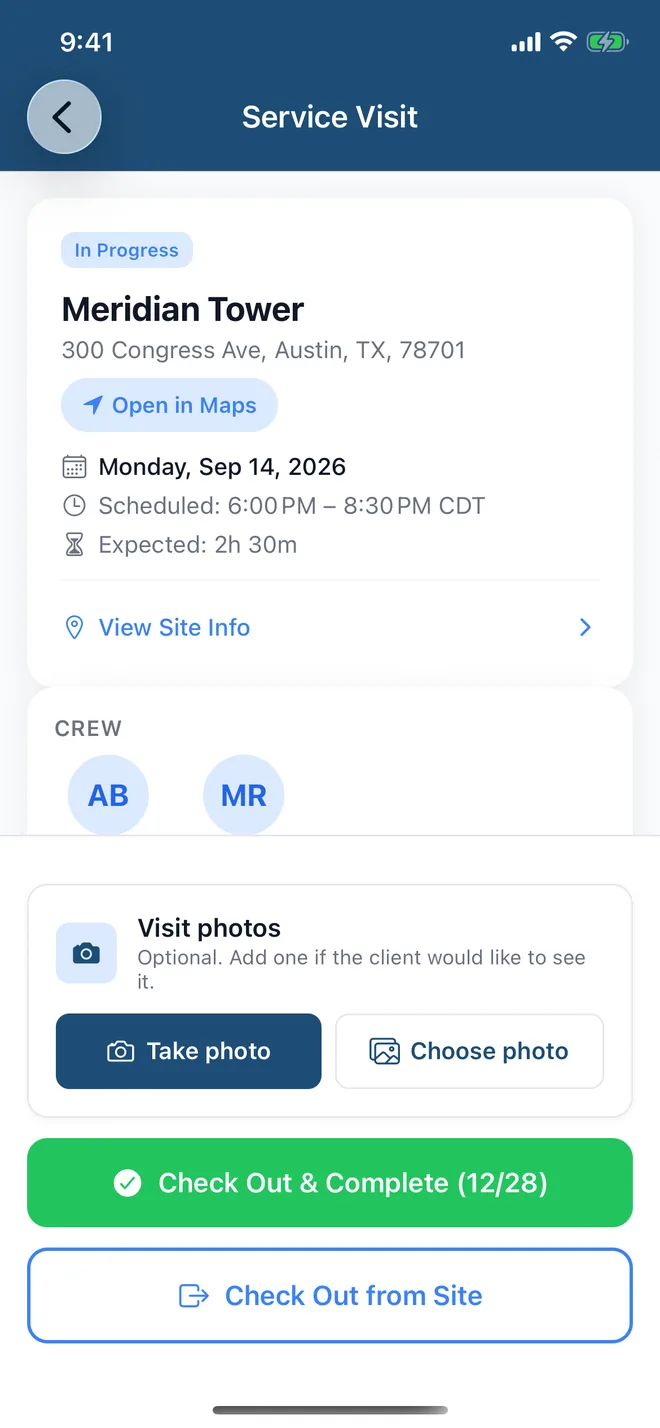

Loaded once per building, the checklist shows up on the cleaner's phone with the door code and the clock-in, and the ticked items sit on the visit the same night. It runs through three parts of FacilityCare IQ:
Checklists for other facility types
Checklists on paper get lost. On the phone, they get done.
Load any of these into FacilityCare IQ and your crew works through it on their phone, in their language, with the door code and the clock-in on the same screen. Free for your first 2 buildings.