 FacilityCare IQ
Retail Store
Retail is cleaned in the gap between closing and opening, and the customer sees the result within seconds of walking in: the glass, the floor, the counter. This checklist is ordered from the entrance inward and keeps the stockroom items separate, because most stores clean it less often.
Prints on one or two pages, tick boxes included.
The checklist
Sales Floor5 items
- Vacuum or mop entire floor
- Dust shelving, displays, and fixtures
- Clean checkout counters and POS areas
- Clean entrance doors and glass storefronts
- Empty all trash bins
Fitting Rooms4 items
- Wipe mirrors and seating
- Vacuum or mop floor
- Disinfect hooks and door handles
- Remove hangers and return to floor
Restrooms & Back Stock4 items
- Clean and disinfect restroom fixtures
- Refill dispensers
- Sweep back stock / receiving area
- Empty all trash
How to use this checklist on the phone
Print it and hand a copy to each cleaner, or load it as a room-by-room checklist in FacilityCare IQ. The free plan covers 2 buildings.
On each visit the cleaner clocks in at the building, ticks the items as they go, and adds a photo where you have asked for one.
The completed checklist and the clock-in and clock-out times sit on the visit the same night. Share the visit with the client by link when they ask.
Where this checklist ends up
Captured from a live account.
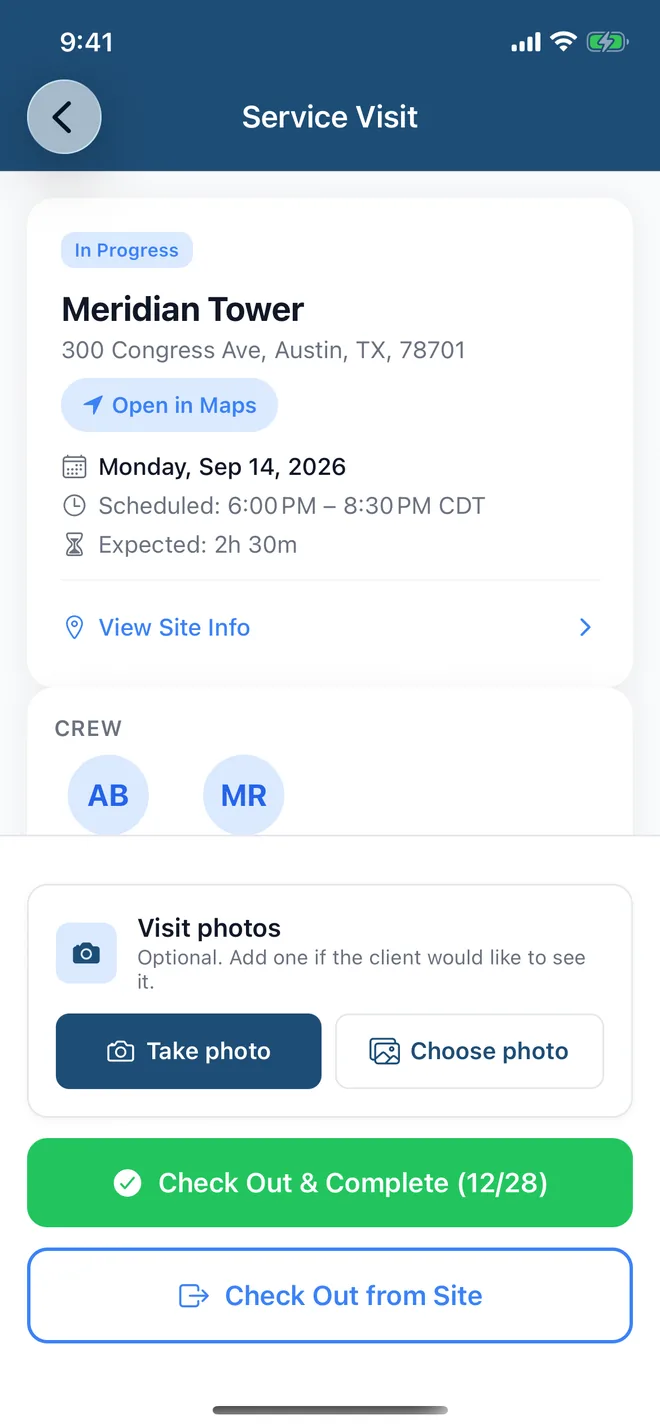

Loaded once per building, the checklist shows up on the cleaner's phone with the door code and the clock-in, and the ticked items sit on the visit the same night. It runs through three parts of FacilityCare IQ:
Checklists for other facility types
Checklists on paper get lost. On the phone, they get done.
Load any of these into FacilityCare IQ and your crew works through it on their phone, in their language, with the door code and the clock-in on the same screen. Free for your first 2 buildings.