 FacilityCare IQ
The tools to run a cleaning company from a phone
Five features, each built for a small company that cleans other people's buildings at night. Nothing to configure for a week, nothing your crew has to be trained on.
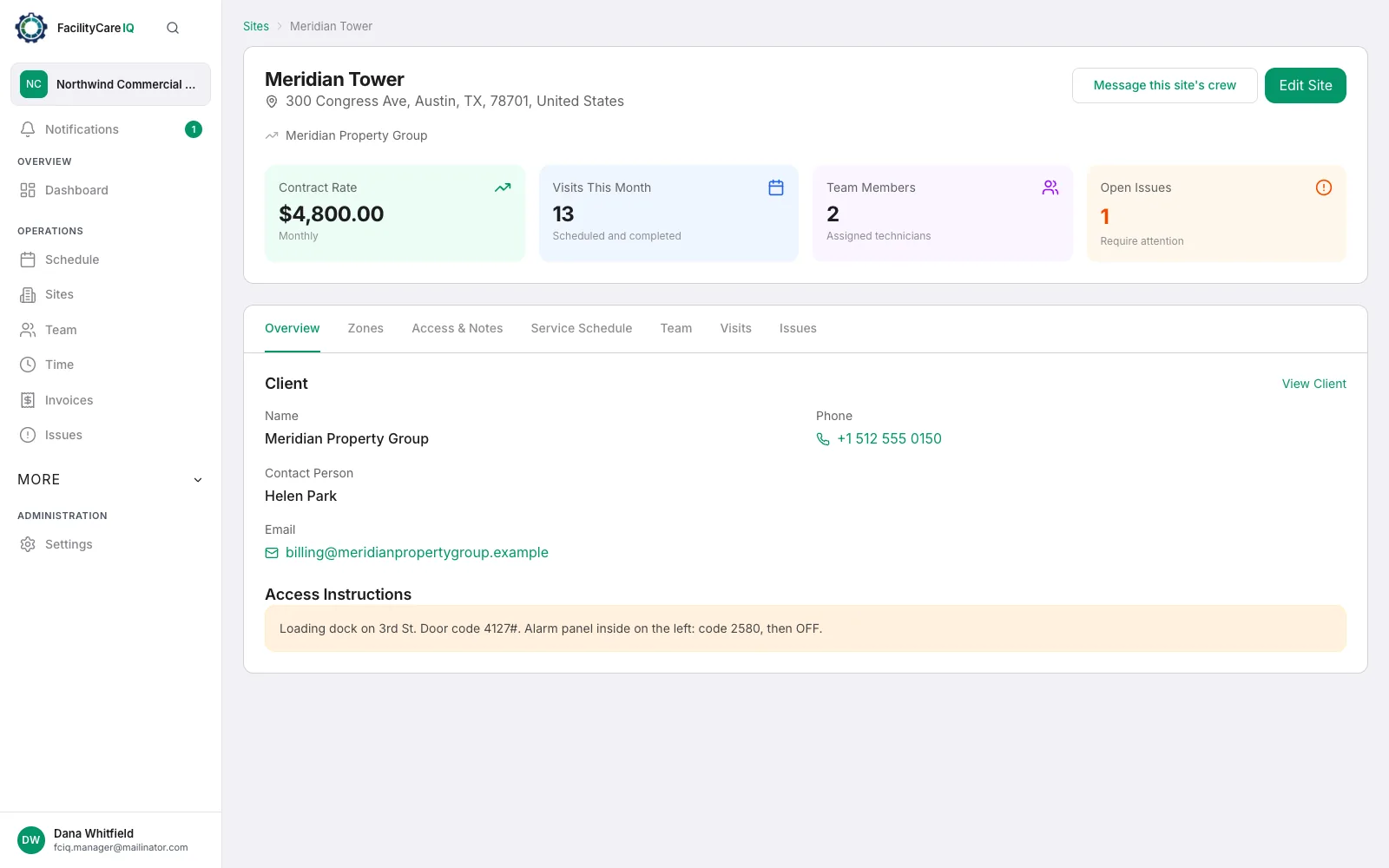
Sites & customers
One card per building with everything the crew and the office need: the address, the door and alarm codes, the on-site contact, the contract rate and who cleans it. Your note for the crew shows on their job card the same night.
- Address, door and alarm codes, on-site contact
- Contract rate — monthly, per visit or hourly
- Who cleans it, and a note for the crew
- Checklist picked for the type of building
Schedule
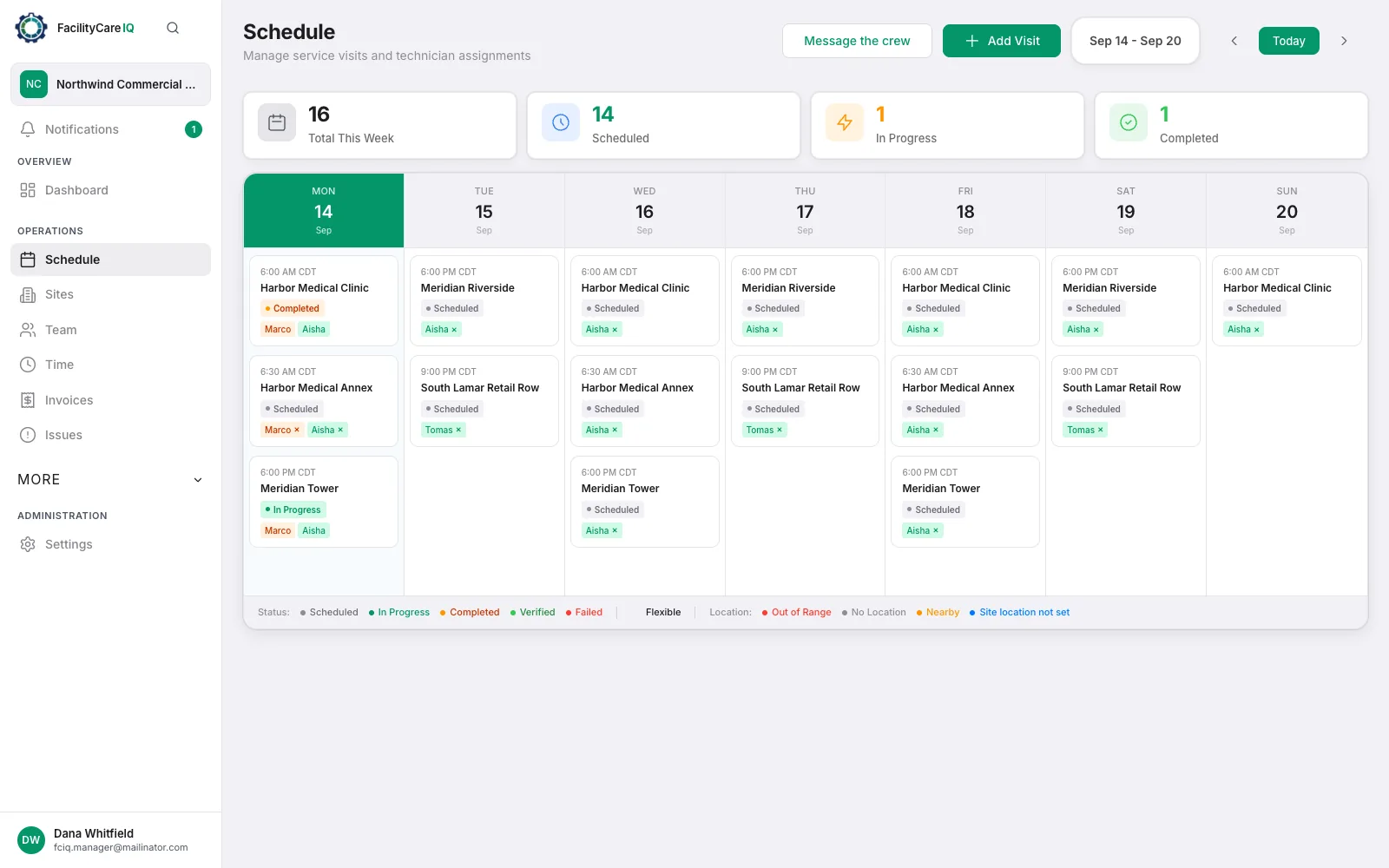
Set a building up once — the days, the time window, the crew — and every visit from then on generates itself. Tonight's list is on every cleaner's phone; one-off jobs, reschedules and reassignments take two taps.
- Recurring rules per site
- Tonight's list, built automatically
- One-off jobs, reschedule, reassign
- Morning summary of last night: done, missed, running late
Time clock
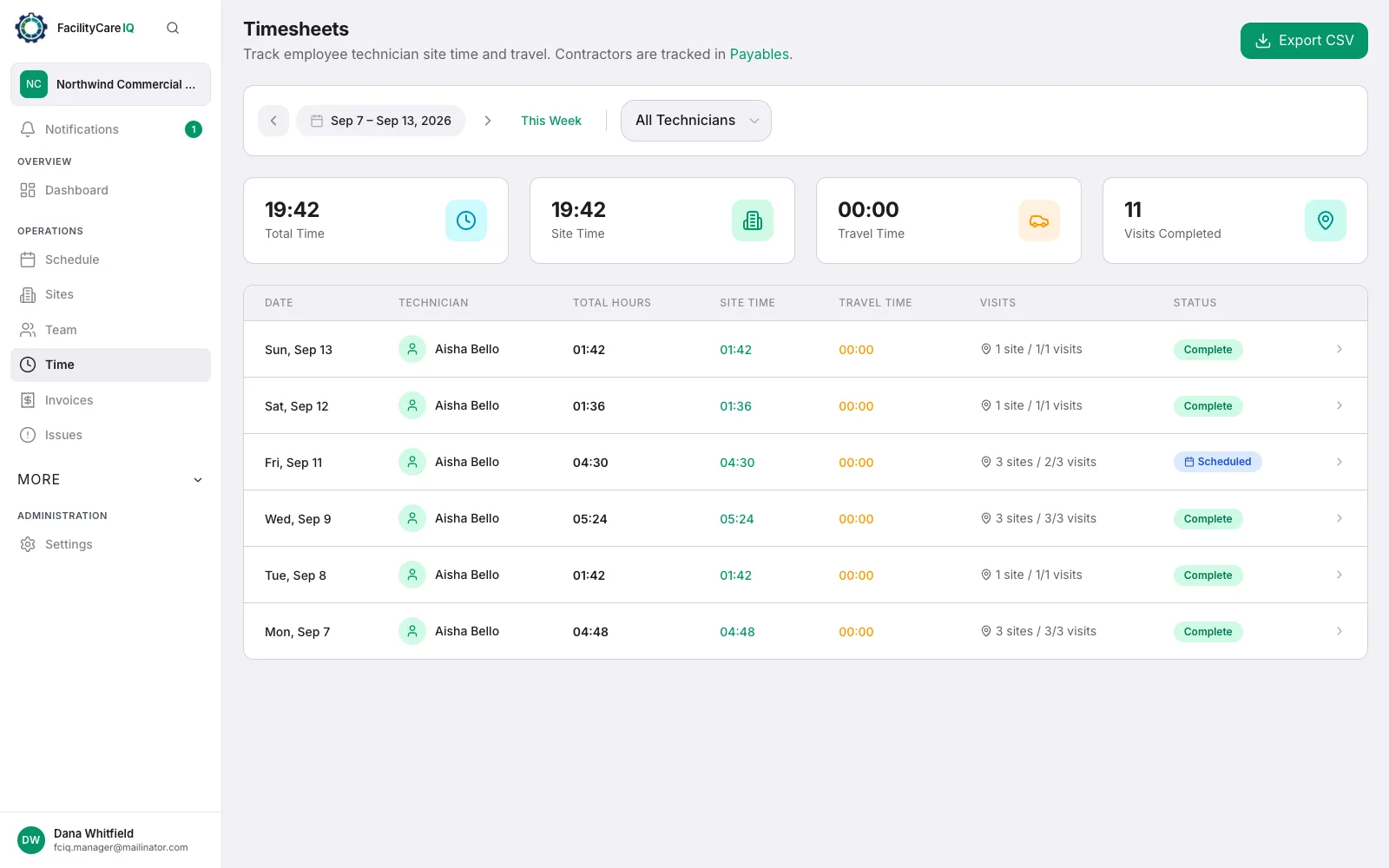
Cleaners clock in and out on the job card with a GPS check at the building, so you know who was there and for how long. No background tracking. Hours land on timesheets per person and per site that you can export to CSV for payroll.
- GPS clock-in and clock-out at the building
- Timesheets per person and per site
- Timesheets export to CSV for payroll
- Location captured only at clock-in and clock-out
Crew job card
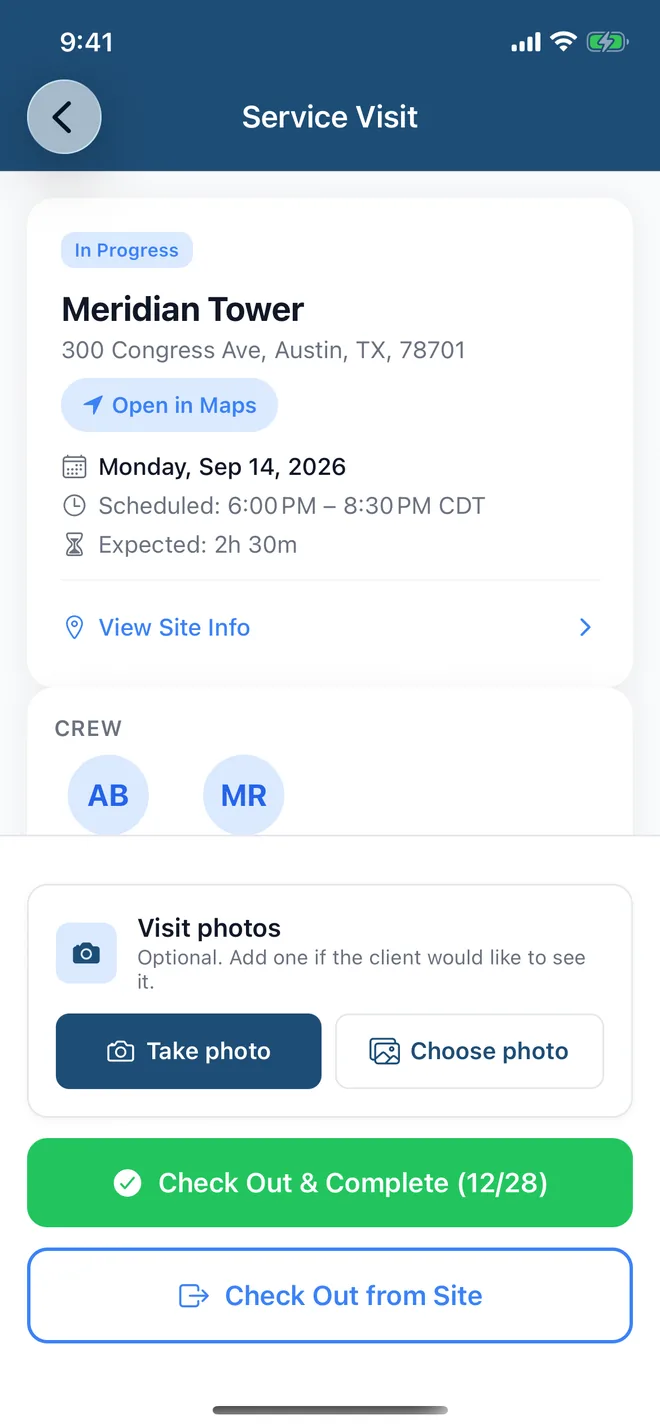
Tonight's job, in the cleaner's language: address, door code, contact, your note for the site and the checklist by area. Photos are optional unless you switch them on for a site. One tap for “Running late” or “Couldn't complete”, with the reason.
- Everything about the job on one screen, in six languages
- Checklist by area — photos optional, per site
- “Running late” and “Couldn't complete” in one tap
- Message from the office, translated for each cleaner
The app for owners and crew is on iOS and Android.
Invoicing
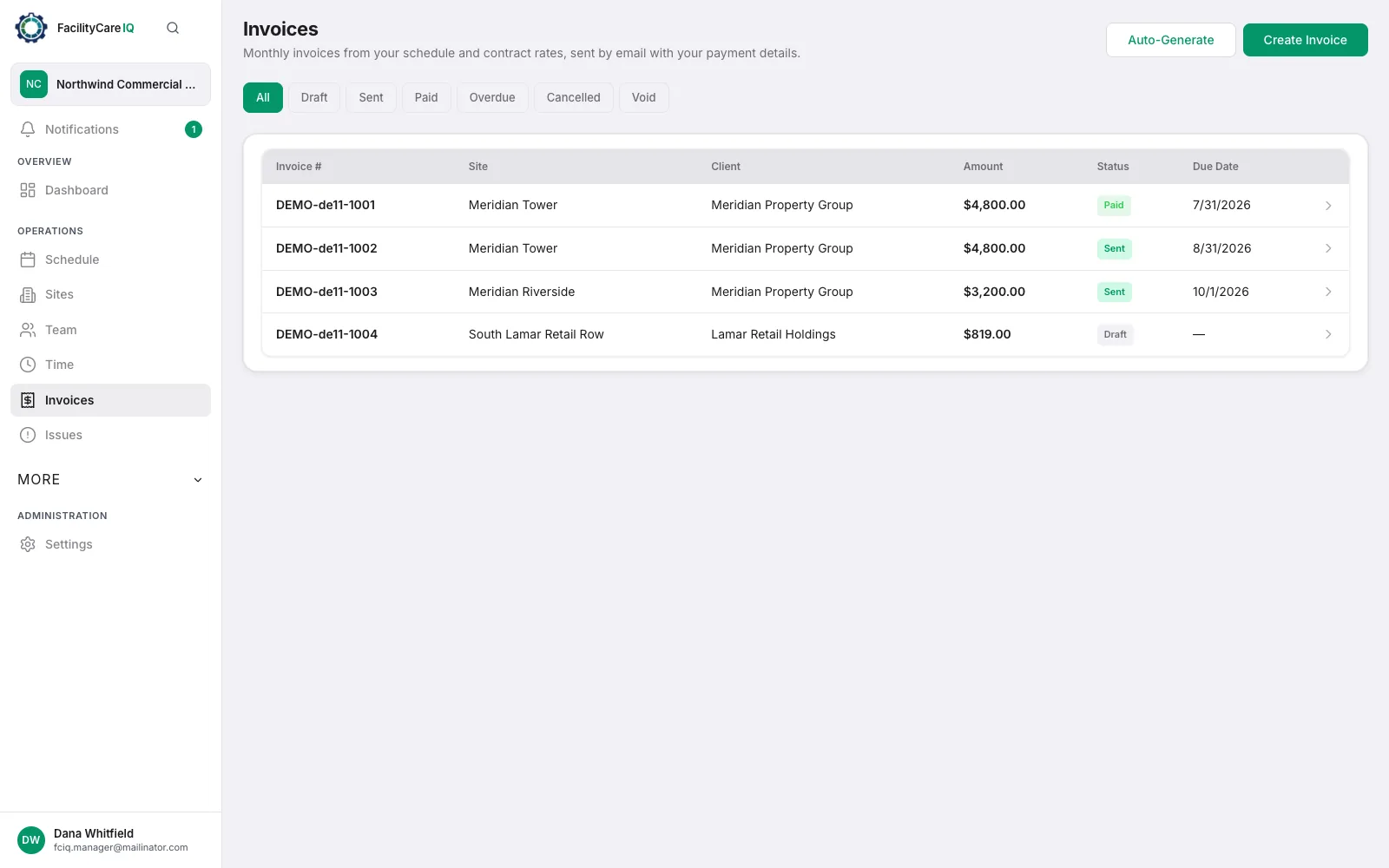
On the 1st of each month, each site’s invoice for last month is drafted from the visits your crew finished and the contract rate: one line for the month on a monthly rate, one line per visit on a per-visit or hourly rate. Check it, send it by email with your payment details, and mark it paid when the money arrives.
- Monthly invoice drafted from the schedule
- Emailed with the PDF attached and your payment details
- Marked paid when the money arrives
- Draft, sent and paid at a glance
Works offline, syncs on its own
Basements, plant rooms and rural sites often have no signal. The app keeps working anyway and sends the work through as soon as the phone reconnects — nobody has to remember to sync.
- Clock in and finish a job with no signal
- Tick off the checklist and add photos
- Report an issue on the spot, signal or not
- Managers can schedule one-off jobs offline

Six languages
The app, the checklists, the messages and the invoice emails are in English, Spanish, Portuguese, Italian, French and German. Each person picks their own language, so a new hire reads tonight's job in theirs from day one.
- Each person picks their own language
- Checklists and job cards in the cleaner's language
- Messages to the crew translated automatically
- Invoice emails in the client's language

Also in the box
The small things that keep a cleaning company running without a phone call.
Client view
Clients log in to see the visits at their sites, report an issue and see their invoices. No report to build, nothing to email.
Share a visit
Send a client a link to one night's visit: clock-in and out times, the checklist and any photos. The link stops working after 90 days.
Message tonight's crew
One message to everyone working tonight or at one site, translated into each cleaner's language.
Issues
A cleaner or a client reports a problem with a photo. You see it, assign it, and everyone gets told when it is fixed.
Notifications
Running late, couldn't complete, invoice paid, a note changed at a site — pushed to the right person, not to everyone.
Checklist library
Ready-made checklists for offices, clinics, schools, restaurants, gyms and more. Edit them or write your own.
Timesheets & revenue
Hours per person and per site, exportable to CSV for payroll; revenue per site and per client for the month end.
One app for you and your crew
The app for owners and crew is on iOS and Android. You run the company from it: sites, schedule, who is on site, timesheets, invoices, team and plan. Your crew opens the same app to see tonight's job, clock in, work the checklist and clock out — in their language.
Your first building, set up in five minutes
Start free, add a site, set the schedule, invite the crew.